CloudPilot
Regions, zones and quotas
Before deploying, check the target region's status, availability zones and account quotas to confirm it is ready for your resources.
Updated October 15, 2026
Check region status
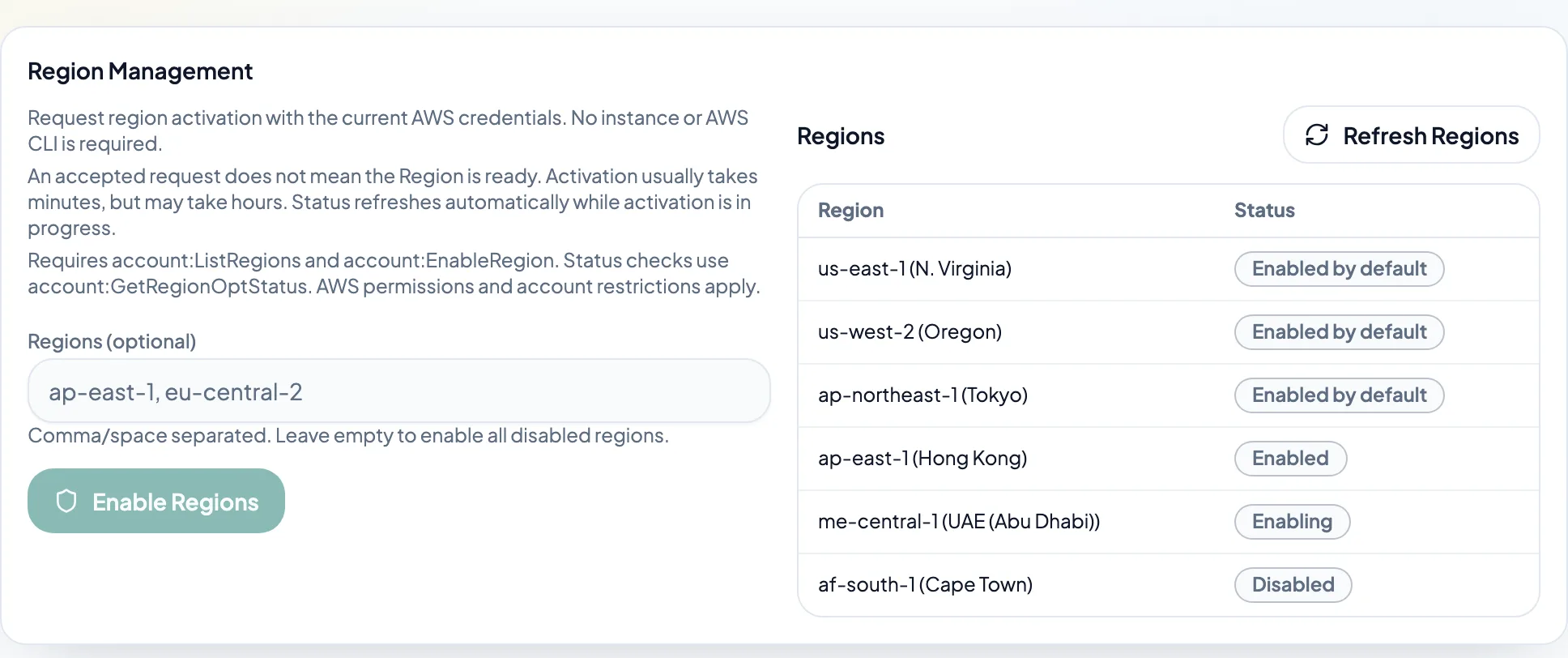
In Regions, query the current account and enable optional regions as needed. Wait for activation to finish before creating resources. Wavelength/Local Zones also require their zone status and environment setup to be ready.
Query vCPU quotas
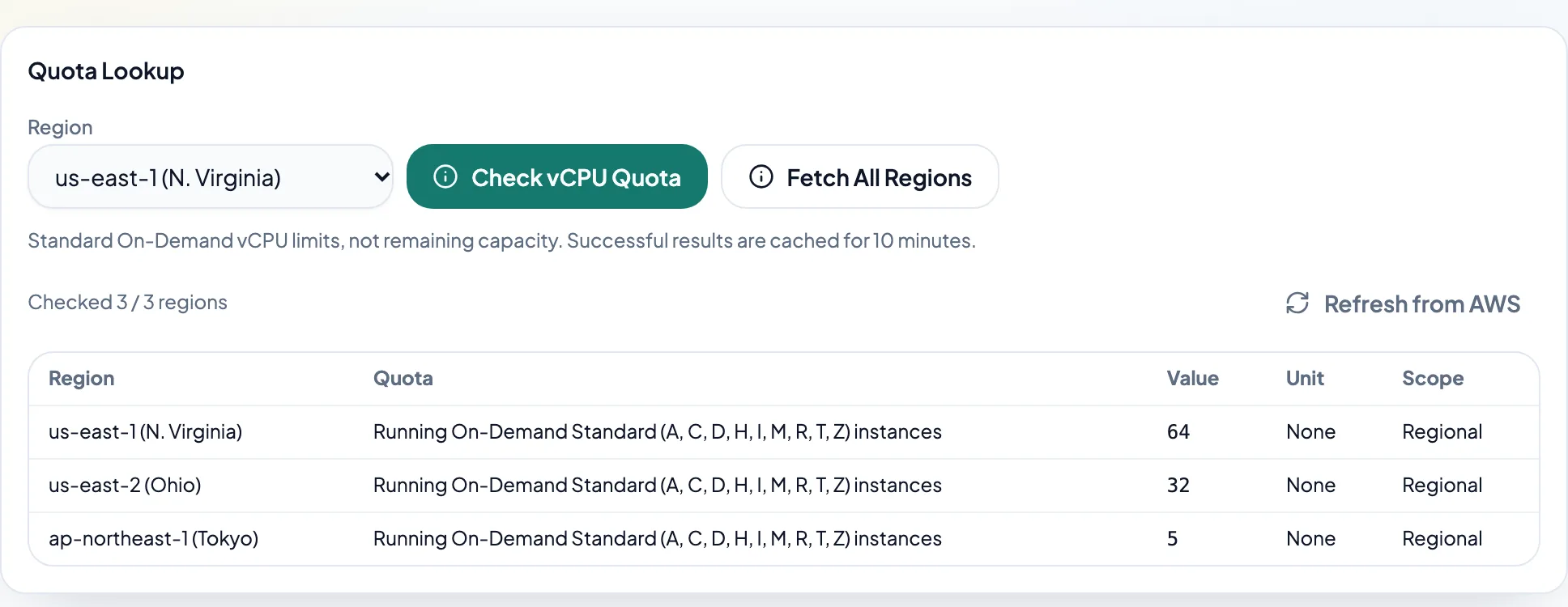
In Quotas, check one region or all regions and watch results appear as they finish. Values are Standard On-Demand vCPU limits, not remaining capacity or quotas for Spot, GPU or other families. Successful results are cached for 10 minutes; use Refresh from AWS after a quota change. A failed region does not stop later regions. The final result lists all regional errors and created counts. Remove completed targets and subtract instances already created within partial targets before retrying to avoid duplicates. Sufficient quota does not guarantee live capacity; try another zone or size if needed.